What is React and what is it used for? – React is a JavaScript library used to build user interfaces, especially for web applications. It helps developers create fast, interactive pages by updating only the parts of the page that change.
What is a component? – A component is a reusable piece of code that represents a part of the user interface, like a button, a card, or a list.
What is state used for? – State is used to store and manage changing data inside a component, such as user input or a list of items.
Why is React useful for web development? – React is useful because it makes code easier to organize, reuse, and maintain, and it updates the page efficiently without reloading the whole site.
Important terms :
- JSX – JSX is a syntax that looks like HTML and is used in React to describe what the UI should look like.
- Component – A component is a reusable function or class that returns part of the user interface.
- Props – Props are inputs passed from one component to another to share data.
- State – State is a built-in object in React that stores data which can change over time and affects what is shown on the screen.
Creating a React project :
First of all you should download node.js, JavaScript runtime environment that lets developers create servers, web apps, command line tools and scripts such as React…

Then we will make react application folder in Visual Studio Code with using “npm create vite@latest”
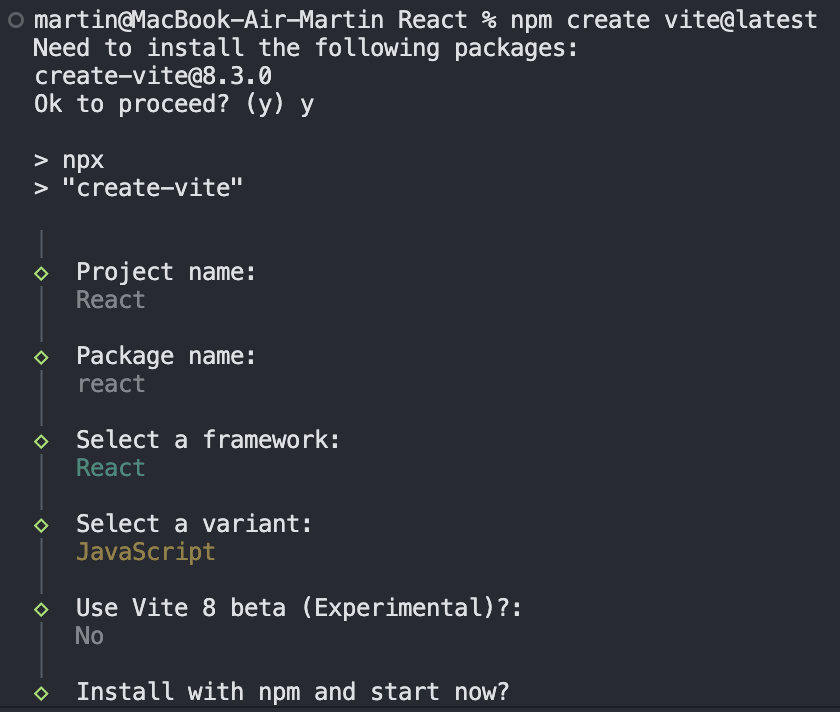
We must install the necessary packages, write the name of our project, and be sure to select the “React” framework and the “JavaScript” option.
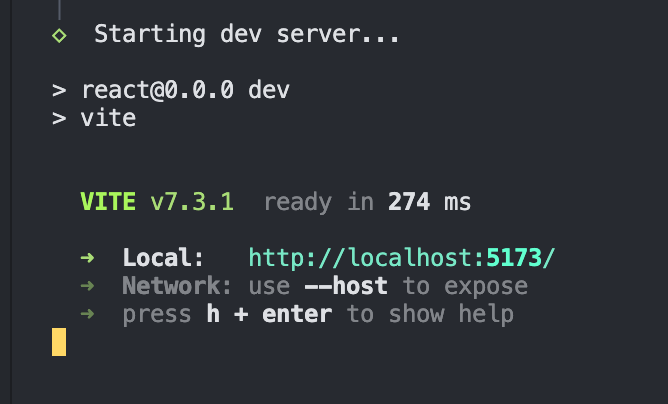
After that, we will create a React project using VITE.
Using Components in React :
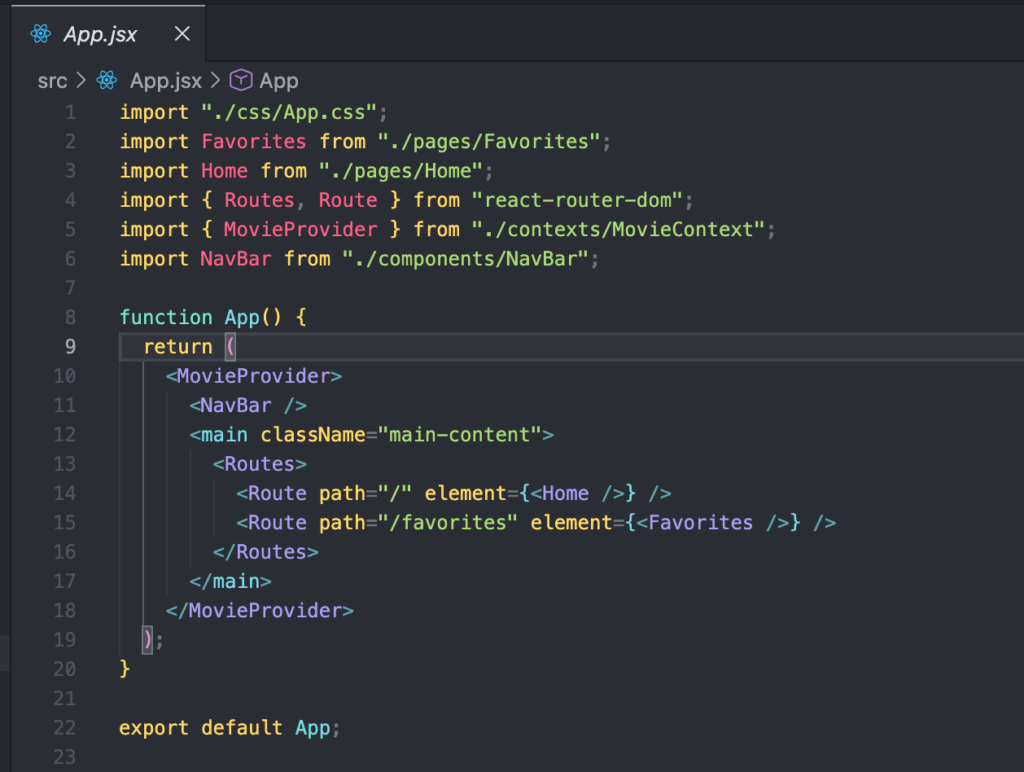
App.jsx – Main Application Component
App.jsx is the main (root) component that controls the structure of the entire application.
What it does :
- Wraps the whole app with MovieProvider (global state for favorite movies)
- Displays the nav bar
- Controls page navigation using React Router
- Shows different pages depending on the URL: 1)
/→ Home page (all movies) 2) /favorites → Favorites page
App.js is the main structure and navigation controller of the app
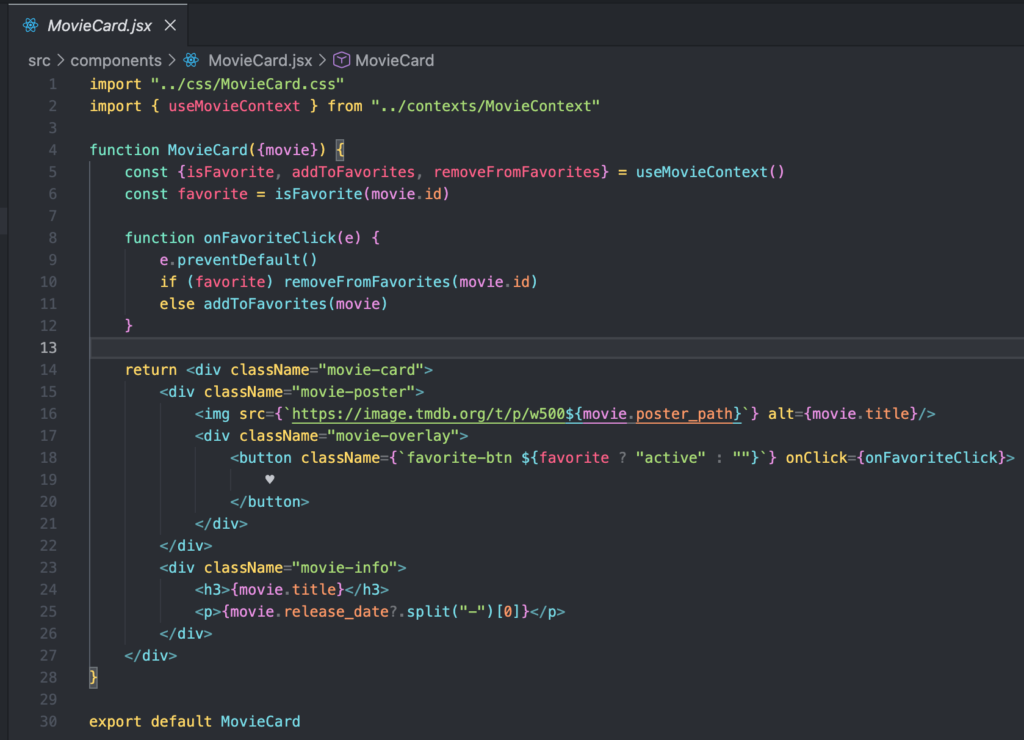
MovieCard.jsx — Movie Card Component
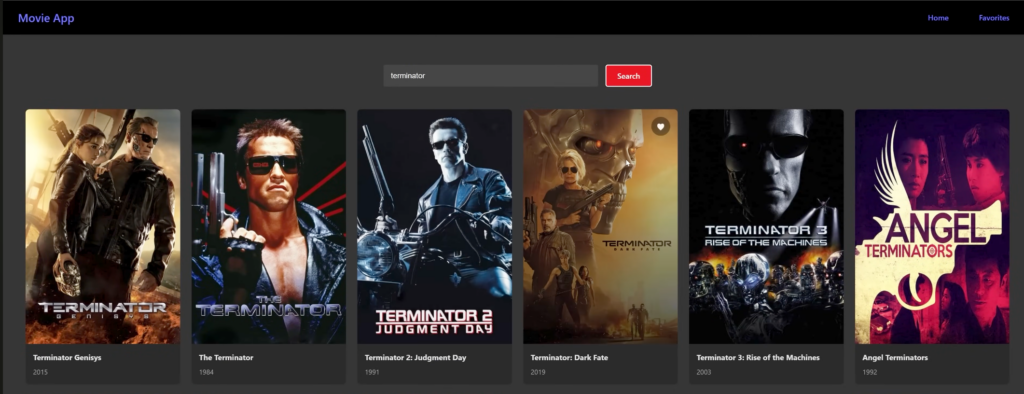
MovieCard is a reusable component that displays one movie
What it does :
- Shows the movie poster
- Displays the movie title and release year
- Shows a heart button to add/remove favorites movie
- Checks if the movie is already in favorites
- It receives movie data using props
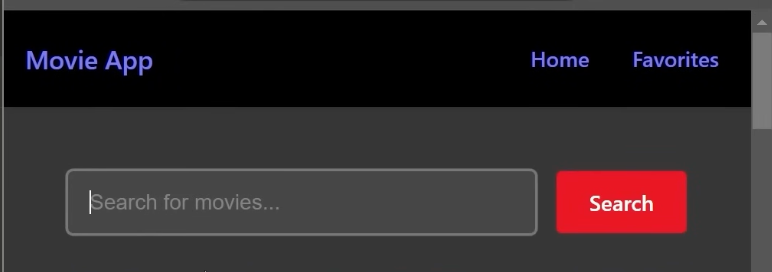
NavBar.jsx – is a component that displays the top navigation menu of the app.
What it does :
- show the application name (Movie App)
- provide links to pages (Home and Favorites)
- allow the user to switch pages without reloading the browser using React Router
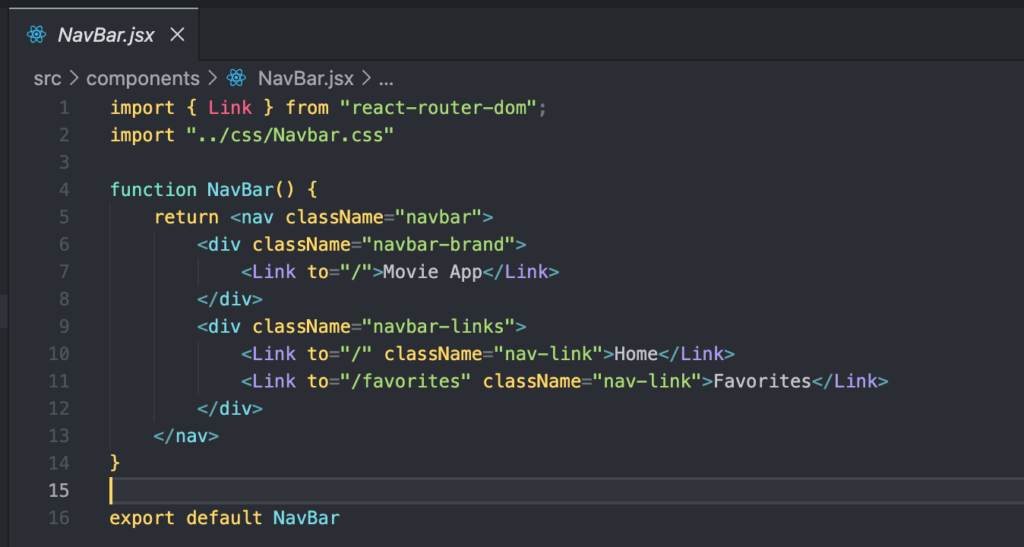
<Link to="/">Home</Link>
<Link to="/favorites">Favorites</Link>
These are internal links for routing in the app.
They let users navigate between pages without refreshing.
Using State :
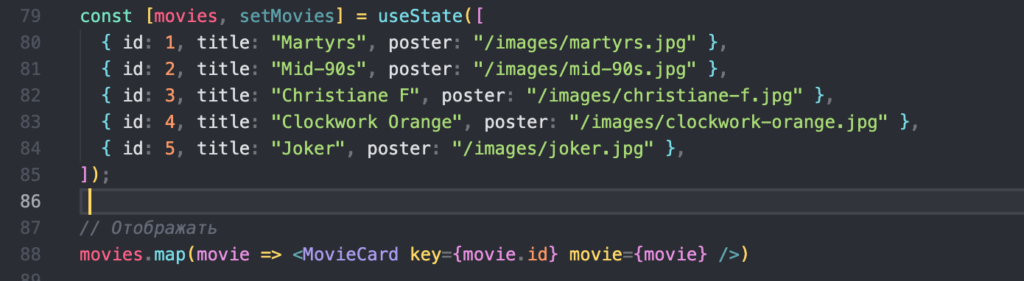
React state is data that can change over time and automatically updates the UI when it changes.
In this project, Home.jsx holds the state for the movies list fetched from the API.
Example with Api :
import { useState, useEffect } from "react";
import MovieCard from "../components/MovieCard";
import { getPopularMovies } from "../services/api";

function Home() {
  const [movies, setMovies] = useState([]); // state for movies

  useEffect(() => {
    async function fetchMovies() {
      const data = await getPopularMovies();
      setMovies(data); // save movies in state
    }
    fetchMovies();
  }, []);

  return (
    <div className="movie-list">
      {movies.map((movie) => (
        <MovieCard key={movie.id} movie={movie} />
      ))}
    </div>
  );
}
Also My Simple example with local array :
Adding a search function :
The search functionality is implemented in Home.jsx.
There is a search state and an input handler that filters the movies list.
1)The user types text into a search input.
2)This text is stored in state:
const [searchTerm, setSearchTerm] = useState("");
3)An event handler updates the state as the user types:
function handleSearch(e) {
  setSearchTerm(e.target.value);
}
4)The movies list is filtered based on the search term:
const filteredMovies = movies.filter(movie =>
  movie.title.toLowerCase().includes(searchTerm.toLowerCase())
);
5)Only the filtered movies are displayed:
filteredMovies.map(movie => <MovieCard key={movie.id} movie={movie} />)